






















提示词
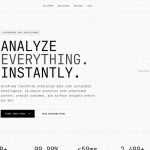
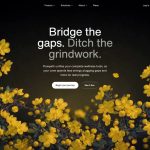
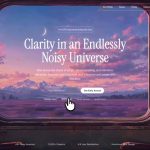
使用 React + Vite + Tailwind CSS v4 + Motion (framer-motion) + Lucide React icons + hls.js 构建一个全屏深色 hero section 落地页。页面应为单屏(100vh,无滚动),采用黑色背景、全屏背景视频、glassmorphism navbar,以及包含电子邮件收集 CTA 的居中 hero。
>
> **依赖项:** `react`、`react-dom`、`motion`、`hls.js`、`lucide-react`、使用 `@tailwindcss/vite` 的 `tailwindcss` v4、`@vitejs/plugin-react`
>
> **字体:** 导入 Google Fonts:
> - `Inter`(字重 300、400、500、600)——用作基础无衬线字体
> - `Instrument Serif`(常规体和斜体)——用于 hero 标题
>
> **CSS(`index.css`):**
> - 导入两个 Google Font URL,然后添加 `@import "tailwindcss";`
> - 设置 `@theme { --font-sans: "Inter", ui-sans-serif, system-ui, sans-serif; }`
> - `:root` 变量:`--background: #000000; --foreground: #ffffff;`
> - `body`:background-color var(--background)、color var(--foreground)、font-family var(--font-sans)、`-webkit-font-smoothing: antialiased`、`letter-spacing: -0.01em`
> - `.liquid-glass` class:`background: rgba(255,255,255,0.01)`、`background-blend-mode: luminosity`、`backdrop-filter: blur(4px)`、`-webkit-backdrop-filter: blur(4px)`、`border: none`、`box-shadow: inset 0 1px 1px rgba(255,255,255,0.1)`、`position: relative`、`overflow: hidden`。它包含一个用于渐变边框效果的 `::before` pseudo-element:`padding: 1.4px`、`background: linear-gradient(180deg, rgba(255,255,255,0.45) 0%, rgba(255,255,255,0.15) 20%, rgba(255,255,255,0) 40%, rgba(255,255,255,0) 60%, rgba(255,255,255,0.15) 80%, rgba(255,255,255,0.45) 100%)`,并使用 `-webkit-mask: linear-gradient(#fff 0 0) content-box, linear-gradient(#fff 0 0)` 和 `-webkit-mask-composite: xor; mask-composite: exclude;` 进行遮罩处理
> - `.glass-pill` class:`background: rgba(255,255,255,0.04)`、`backdrop-filter: blur(16px) saturate(180%)`、`border-radius: 9999px`、`box-shadow: none !important`
>
> **背景视频组件:**
> - 渲染一个覆盖整个父元素的绝对定位 `<div>`(`absolute inset-0 overflow-hidden pointer-events-none`)
> - 包含一个 `<video>` 元素:`autoPlay`、`muted`、`loop`、`playsInline`,classes 为 `w-full h-full object-cover opacity-100`
> - 视频源 URL:`https://stream.mux.com/kimF2ha9zLrX64H00UgLGPflCzNtl1T0215MlAmeOztv8.m3u8`(这是来自 Mux 的 HLS stream,不是 CloudFront)
> - 使用 `hls.js`:如果浏览器原生支持 HLS(`video.canPlayType("application/vnd.apple.mpegurl")`),直接设置 `video.src`;否则实例化 `new Hls()`,并调用 `loadSource`、`attachMedia`
>
> **Navbar 组件:**
> - 使用 `motion.nav` 入场动画:`initial={{ y: -20, opacity: 0 }}`、`animate={{ y: 0, opacity: 1 }}`
> - Classes:`relative z-20 px-6 py-6 w-full`
> - 内部容器:`liquid-glass rounded-full px-6 py-3 flex items-center justify-between max-w-5xl mx-auto`
> - 左侧(`flex items-center gap-8`):
>   - Logo:来自 lucide-react 的 `Globe` icon(w-6 h-6 text-white)+ “Asme”文本(`text-white font-semibold text-lg`),放在 `flex items-center gap-2` wrapper 中
>   - Nav links:“功能”、“定价”、“关于”——在移动端隐藏(`hidden md:flex`),使用 `items-center gap-8 text-white/80 text-sm font-medium`,每个链接均包含 `hover:text-white transition-colors duration-300`
> - 右侧(`flex items-center gap-4`):
>   - “注册”纯文本按钮:`text-white hover:text-white/80 transition-colors text-sm font-medium cursor-pointer`
>   - “登录”glassmorphism 按钮:`liquid-glass rounded-full px-6 py-2 text-sm font-medium text-white hover:opacity-90 transition-opacity cursor-pointer`
>
> **Hero 组件:**
> - `<section>` 使用 `relative flex-1 flex flex-col items-center justify-center px-6`
> - 内容 wrapper:`relative z-10 text-center max-w-5xl mx-auto flex flex-col items-center justify-center w-full gap-12`
> - **Tagline**(motion.p):文本“几分钟内构建无代码 AI 应用”,`text-white/80 text-[10px] md:text-[11px] font-medium tracking-[0.2em] uppercase mb-4`,动画为 `initial={{ opacity: 0, y: 10 }}`、`animate={{ opacity: 1, y: 0 }}`、`transition={{ delay: 0.1 }}`
> - **Heading**(motion.h1):文本“用计算机思考和创造的新方式”(在“创造”后添加 `<br className="hidden md:block" />`),通过 inline style 设置 `fontFamily: "'Instrument Serif', serif"`,classes 为 `text-4xl md:text-[64px] font-medium tracking-[-0.01em] leading-[1.1] mb-6 bg-gradient-to-b from-white via-white/95 to-white/70 bg-clip-text text-transparent max-w-4xl`,动画为 `initial={{ opacity: 0, y: 20 }}`、`animate={{ opacity: 1, y: 0 }}`、`transition={{ duration: 1, ease: [0.16, 1, 0.3, 1] }}`
> - **CTA 区域**(motion.div):`min-h-[50px] mt-2`,使用 `delay: 0.4` 的动画。使用 `AnimatePresence mode="wait"` 在以下状态之间切换:
>   - **按钮状态**:“获取抢先体验资格”——`px-10 py-3 text-[14px] font-medium border border-white/10 rounded-full hover:border-white/30 hover:bg-white/[0.02] transition-all duration-300 text-white/90 backdrop-blur-sm cursor-pointer`。点击后切换到电子邮件表单。
>   - **电子邮件表单状态**:一个 `<form>`,使用 `flex items-center gap-2 pl-5 pr-1.5 py-1.5 text-[14px] font-medium border border-white/20 rounded-full bg-white/[0.02] backdrop-blur-sm w-full max-w-[320px] focus-within:border-white/40 transition-colors duration-300`。其中包含一个电子邮件 `<input>`(透明背景、白色文本、`placeholder-white/45`、`autoFocus`)和一个提交按钮,按钮显示 `ArrowRight` icon(默认)或 `Check` icon(提交后)。两种状态均以 0.2s duration 从 scale 0.95 动画过渡到 1。
>   - **打字机 placeholder**:电子邮件表单打开后,placeholder 文本“Enter Your Email Here For Early Access”以 60ms 的间隔逐字符输入。提交后,改为输入“You Will Receive Notifications By Email”。4 秒后,重置回按钮状态。
> - 下方的 **“播放视频演示”** 链接(带 `delay: 0.8` 淡入效果的 motion.div):`text-white/80 hover:text-white/40 transition-colors duration-300 text-[13px] font-medium tracking-wide`
>
> **App 根布局:**
> - `<main>` 使用 `relative bg-black h-screen w-screen flex flex-col overflow-hidden selection:bg-white selection:text-black shrink-0`
> - 渲染顺序:`BackgroundVideo`、`Navbar`、`Hero`
> - 文本选中样式为白色背景和黑色文本

---

关键说明:视频 URL **不是**来自 CloudFront。它是托管在 **Mux** 上的 HLS stream:`https://stream.mux.com/kimF2ha9zLrX64H00UgLGPflCzNtl1T0215MlAmeOztv8.m3u8`。对于非 Safari 浏览器,`.m3u8` 格式需要 hls.js。
原文提示词(English)
Build a full-screen dark hero section landing page in React + Vite + Tailwind CSS v4 + Motion (framer-motion) + Lucide React icons + hls.js. The page should be a single screen (100vh, no scroll) with a black background, a fullscreen background video, a glassmorphism navbar, and a centered hero with an email capture CTA.
>
> **Dependencies:** `react`, `react-dom`, `motion`, `hls.js`, `lucide-react`, `tailwindcss` v4 with `@tailwindcss/vite`, `@vitejs/plugin-react`
>
> **Fonts:** Import Google Fonts:
> - `Inter` (weights 300, 400, 500, 600) -- used as the base sans-serif font
> - `Instrument Serif` (regular and italic) -- used for the hero heading
>
> **CSS (`index.css`):**
> - Import both Google Font URLs, then `@import "tailwindcss";`
> - Set `@theme { --font-sans: "Inter", ui-sans-serif, system-ui, sans-serif; }`
> - `:root` variables: `--background: #000000; --foreground: #ffffff;`
> - `body`: background-color var(--background), color var(--foreground), font-family var(--font-sans), `-webkit-font-smoothing: antialiased`, `letter-spacing: -0.01em`
> - `.liquid-glass` class: `background: rgba(255,255,255,0.01)`, `background-blend-mode: luminosity`, `backdrop-filter: blur(4px)`, `-webkit-backdrop-filter: blur(4px)`, `border: none`, `box-shadow: inset 0 1px 1px rgba(255,255,255,0.1)`, `position: relative`, `overflow: hidden`. It has a `::before` pseudo-element for a gradient border effect: `padding: 1.4px`, `background: linear-gradient(180deg, rgba(255,255,255,0.45) 0%, rgba(255,255,255,0.15) 20%, rgba(255,255,255,0) 40%, rgba(255,255,255,0) 60%, rgba(255,255,255,0.15) 80%, rgba(255,255,255,0.45) 100%)`, masked with `-webkit-mask: linear-gradient(#fff 0 0) content-box, linear-gradient(#fff 0 0)` and `-webkit-mask-composite: xor; mask-composite: exclude;`
> - `.glass-pill` class: `background: rgba(255,255,255,0.04)`, `backdrop-filter: blur(16px) saturate(180%)`, `border-radius: 9999px`, `box-shadow: none !important`
>
> **Background Video component:**
> - Renders an absolutely positioned `<div>` covering the full parent (`absolute inset-0 overflow-hidden pointer-events-none`)
> - Contains a `<video>` element: `autoPlay`, `muted`, `loop`, `playsInline`, classes `w-full h-full object-cover opacity-100`
> - Video source URL: `https://stream.mux.com/kimF2ha9zLrX64H00UgLGPflCzNtl1T0215MlAmeOztv8.m3u8` (this is an HLS stream from Mux, NOT CloudFront)
> - Uses `hls.js`: if the browser natively supports HLS (`video.canPlayType("application/vnd.apple.mpegurl")`), set `video.src` directly; otherwise instantiate `new Hls()`, `loadSource`, `attachMedia`
>
> **Navbar component:**
> - Animates in with `motion.nav`: `initial={{ y: -20, opacity: 0 }}`, `animate={{ y: 0, opacity: 1 }}`
> - Classes: `relative z-20 px-6 py-6 w-full`
> - Inner container: `liquid-glass rounded-full px-6 py-3 flex items-center justify-between max-w-5xl mx-auto`
> - Left side (`flex items-center gap-8`):
>   - Logo: `Globe` icon from lucide-react (w-6 h-6 text-white) + "Asme" text (`text-white font-semibold text-lg`), in a `flex items-center gap-2` wrapper
>   - Nav links: "Features", "Pricing", "About" -- hidden on mobile (`hidden md:flex`), `items-center gap-8 text-white/80 text-sm font-medium`, each link has `hover:text-white transition-colors duration-300`
> - Right side (`flex items-center gap-4`):
>   - "Sign Up" plain text button: `text-white hover:text-white/80 transition-colors text-sm font-medium cursor-pointer`
>   - "Login" glassmorphism button: `liquid-glass rounded-full px-6 py-2 text-sm font-medium text-white hover:opacity-90 transition-opacity cursor-pointer`
>
> **Hero component:**
> - `<section>` with `relative flex-1 flex flex-col items-center justify-center px-6`
> - Content wrapper: `relative z-10 text-center max-w-5xl mx-auto flex flex-col items-center justify-center w-full gap-12`
> - **Tagline** (motion.p): text "BUILD A NO-CODE AI APP IN MINUTES", `text-white/80 text-[10px] md:text-[11px] font-medium tracking-[0.2em] uppercase mb-4`, animates `initial={{ opacity: 0, y: 10 }}`, `animate={{ opacity: 1, y: 0 }}`, `transition={{ delay: 0.1 }}`
> - **Heading** (motion.h1): text "A new way to think and create with computers" (with `<br className="hidden md:block" />` after "create"), `fontFamily: "'Instrument Serif', serif"` set via inline style, classes `text-4xl md:text-[64px] font-medium tracking-[-0.01em] leading-[1.1] mb-6 bg-gradient-to-b from-white via-white/95 to-white/70 bg-clip-text text-transparent max-w-4xl`, animates `initial={{ opacity: 0, y: 20 }}`, `animate={{ opacity: 1, y: 0 }}`, `transition={{ duration: 1, ease: [0.16, 1, 0.3, 1] }}`
> - **CTA area** (motion.div): `min-h-[50px] mt-2`, animates with `delay: 0.4`. Uses `AnimatePresence mode="wait"` to toggle between:
>   - **Button state**: "Get early access" -- `px-10 py-3 text-[14px] font-medium border border-white/10 rounded-full hover:border-white/30 hover:bg-white/[0.02] transition-all duration-300 text-white/90 backdrop-blur-sm cursor-pointer`. On click, switches to email form.
>   - **Email form state**: a `<form>` with `flex items-center gap-2 pl-5 pr-1.5 py-1.5 text-[14px] font-medium border border-white/20 rounded-full bg-white/[0.02] backdrop-blur-sm w-full max-w-[320px] focus-within:border-white/40 transition-colors duration-300`. Contains an email `<input>` (transparent background, white text, `placeholder-white/45`, `autoFocus`) and a submit button with either `ArrowRight` icon (default) or `Check` icon (after submit). Both states animate scale 0.95 to 1 with 0.2s duration.
>   - **Typewriter placeholder**: when the email form opens, the placeholder text "Enter Your Email Here For Early Access" types in character by character at 60ms intervals. After submission, it types "You Will Receive Notifications By Email" instead. After 4 seconds, it resets back to the button state.
> - **"Play Video Demo"** link below (motion.div with `delay: 0.8` fade-in): `text-white/80 hover:text-white/40 transition-colors duration-300 text-[13px] font-medium tracking-wide`
>
> **App root layout:**
> - `<main>` with `relative bg-black h-screen w-screen flex flex-col overflow-hidden selection:bg-white selection:text-black shrink-0`
> - Render order: `BackgroundVideo`, `Navbar`, `Hero`
> - Text selection is styled white bg with black text

---

Key clarification: The video URL is **not** from CloudFront. It is an HLS stream hosted on **Mux**: `https://stream.mux.com/kimF2ha9zLrX64H00UgLGPflCzNtl1T0215MlAmeOztv8.m3u8`. The `.m3u8` format requires hls.js for non-Safari browsers.